
What Is ZeroTier and How Does It Work
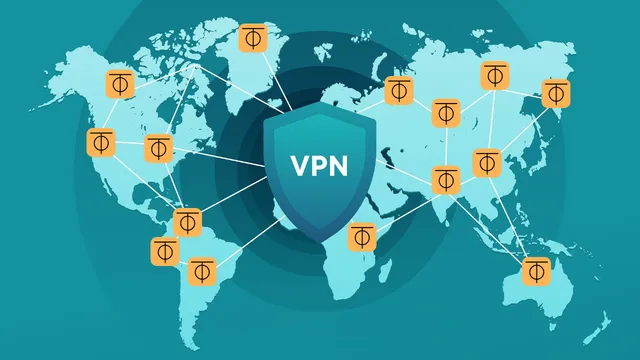
ZeroTier joins devices on different networks into a single virtual LAN. A server in a data centre, a home computer behind NAT and a laptop on mobile data get addresses from one shared subnet and see each other directly — with no public IP addresses, port forwarding or hand-built tunnels.
How ZeroTier differs from a regular VPN
A classic VPN is a hub-and-spoke design: every client connects to one server and all traffic flows through it. ZeroTier builds a peer-to-peer network: devices establish direct encrypted connections with each other, and the central servers only help them find one another.
That gives its main properties:
- no server with a public address is needed — devices behind NAT connect on their own;
- traffic takes the shortest path rather than going through a central node;
- the network behaves like a LAN: broadcasts, device discovery and any protocol on top of Ethernet work;
- management is centralised: members, addresses and rules are set in one panel.
Core concepts
Node. Any device with ZeroTier installed. Each node has a permanent 10-digit address created on first start and tied to its cryptographic key.
Network. A virtual Ethernet segment with a 16-digit identifier. A node joins a network by that ID. One device can be a member of several networks at once.
Controller. The service that stores a network’s settings: the list of authorised members, assigned addresses, routes and rules. You can use the ZeroTier Central cloud controller or run your own.
Root servers. ZeroTier’s infrastructure through which nodes find each other. Under normal conditions your data does not pass through them.
Relay. If a direct connection cannot be established — for example both devices sit behind strict NAT — traffic goes through an intermediate server. The connection stays encrypted but becomes slower.
How a connection is established
- A node starts and contacts the root servers.
- When joining a network it asks the controller for permission and settings.
- An administrator authorises the node in the control panel — without that, nobody gets into a private network.
- The node receives an address in the virtual network.
- When two nodes want to exchange data, the root servers help them punch through NAT and set up a direct UDP connection.
- From then on data flows directly and is encrypted end to end.
Encryption keys never leave the devices: neither the root servers nor the controller can decrypt the traffic.
What ZeroTier is used for
- Access to a home network without a public IP address or router configuration.
- Joining servers at different providers into one private network — databases and internal services do not have to be exposed to the internet.
- Remote work: staff reach office resources from any device.
- Connecting offices through gateways in each local network.
- Administration: SSH or RDP access to devices behind NAT.
ZeroTier, WireGuard and Tailscale
| ZeroTier | WireGuard | Tailscale | |
|---|---|---|---|
| Topology | peer-to-peer mesh | point-to-point, configured by hand | peer-to-peer mesh |
| Layer | Ethernet (L2) | IP (L3) | IP (L3) |
| Setup | control panel | configuration files | control panel |
| Behind NAT | automatic | needs a node with a public address | automatic |
| Own controller | possible | not required | through Headscale |
| Speed | high | highest | high |
WireGuard is faster and simpler by design, but every connection is described by hand and at least one side must be reachable from the internet. It suits the “server and clients” layout well — see WireGuard with a web interface.
Tailscale solves the same problem as ZeroTier, but on top of WireGuard and at the IP layer. It is easier to start with, while ZeroTier gives you a true layer 2 network — which matters for protocols that need broadcast and for network bridging.
Limitations
- Dependence on ZeroTier’s infrastructure. Root servers are needed to find nodes, and with the cloud controller you depend on it as well. Established connections keep working without them, but new nodes cannot join.
- The free plan is limited in the number of devices and networks. The terms have changed several times, so check the current limits on the ZeroTier site.
- Performance. ZeroTier runs in user space and on fast links falls behind WireGuard, which is built into the Linux kernel.
- UDP. On networks where UDP is blocked, the connection falls back to TCP relaying and is slow.
Your own controller
If you do not want to depend on the cloud panel or run into plan limits, you can host the controller on your own VPS. It is built into every ZeroTier instance, and open-source web panels such as ZTNET or ztncui make it convenient to manage. The root servers stay shared unless you deploy your own.
Security
- Use private networks: every new member must be authorised manually.
- The network ID alone does not grant access, but do not publish it without need.
- Set up flow rules: by default all members of a network see each other, as on an ordinary LAN.
- Keep the firewall on your devices enabled: to the system, the ZeroTier interface is a network like any other.
Where to start
The practical part — creating a network, connecting devices and reaching a local network through a gateway — is in the next article: Building a VPN network with ZeroTier.